
- English
- English
Appearance
Every tab uses the same four-part layout:
Use the arrow buttons to open and close the smart editor and summary section.
On each time sheet line you'll see small colored badges. Each has a tooltip with more detail — hover over it to see it. Most are one-off attribute badges that only appear when they apply to that line:
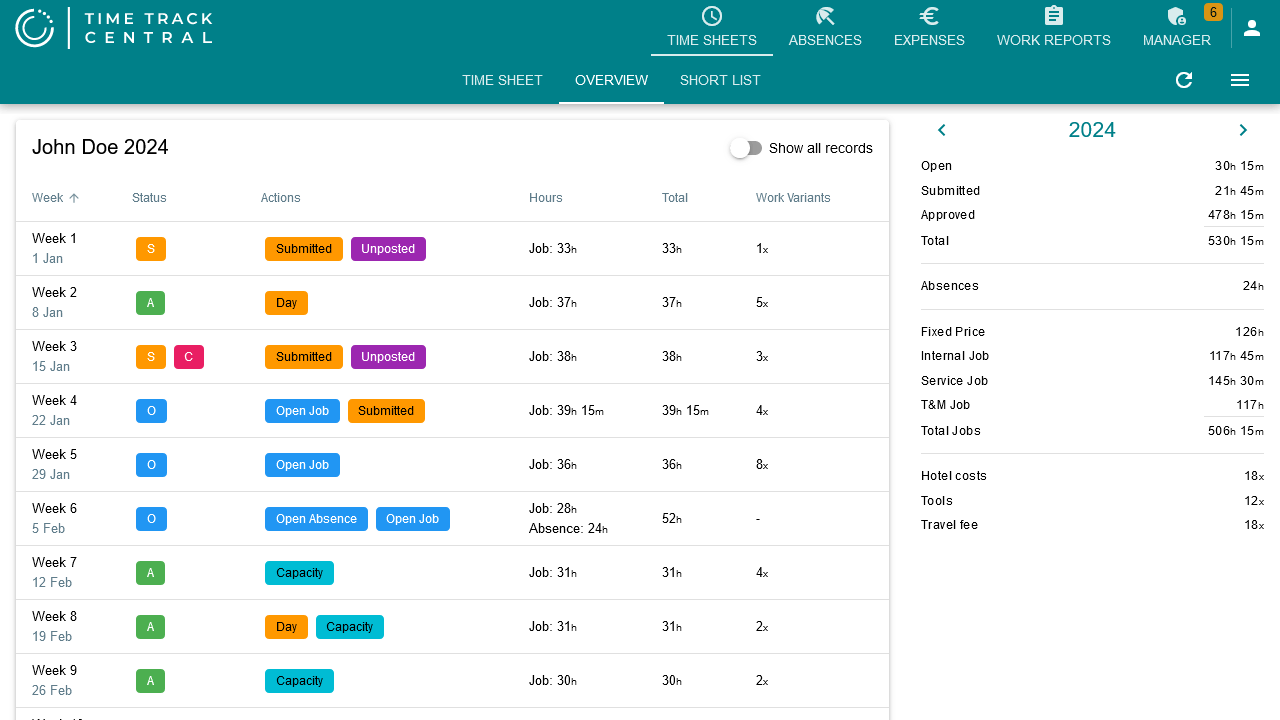
Separately, every line always has one status badge, colored by state (blue = open, orange = submitted, green = approved, red = rejected) — the same four colors as some of the attribute badges above, so read the letters, not just the color:
On the Manager tab's Week and Query tables, a different single-letter code summarizes the status of an employee's whole time sheet for the week: E Empty, O Open, S Submitted, A Approved, R Rejected, L Locked, M Muted (mail notifications off), C has comments — see Management.
Expense and mileage claims use plain-word status chips instead (Open, Submitted, Approved, Rejected) in the same blue/orange/green/red colors, and turn pink once an approved claim has been posted — see Expense Claims.